Project Overview
For this project I recreated the well-known board game chess in Python. I made 2 implementations of it: one which prints the output to the terminal and the other which has a GUI.
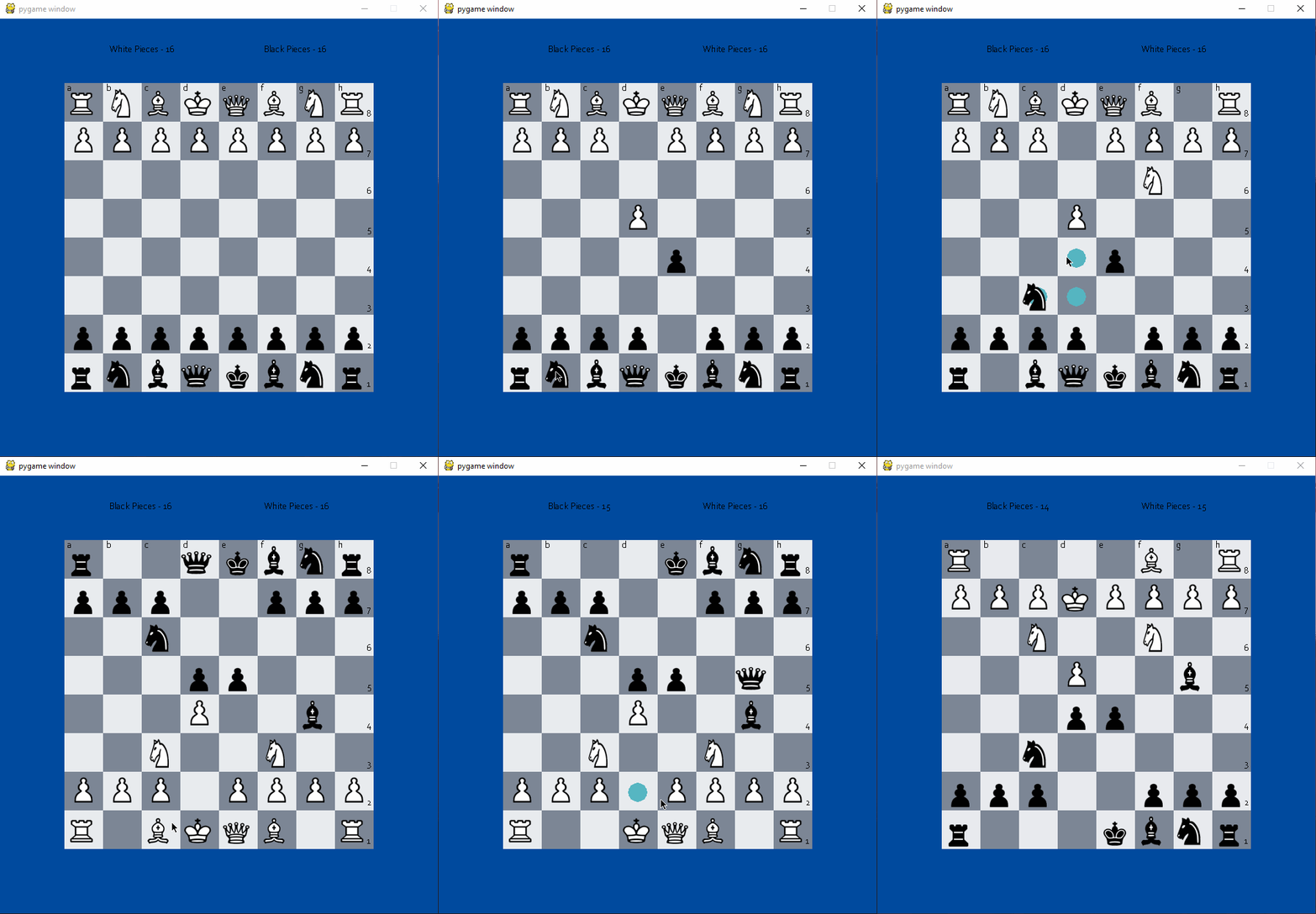
A complete chess game implementation with full rule enforcement.
For this project I recreated the well-known board game chess in Python. I made 2 implementations of it: one which prints the output to the terminal and the other which has a GUI.
For the first implementation, called chess.py, I used simple print-to-screen methods which would be seen in the terminal. However, the pieces would still look like pieces as I used the chess unicode characters like ♔. I also used the bcolors ASCII escape codes, which allow for a string to change colors when printed.
Here's some of the code that utilizes these features:
def print_b(board):
    list1 = [3,4,5,6]
    print(f"{bcolors.BOLD}  A|B|C|D|E|F|G|H{bcolors.ENDC}")
    for i in range(len(board)):
        print(bcolors.BOLD + str(i+1) + "|", bcolors.ENDC, *board[i], sep='')

def repaint(board):
    for i in range(len(board)):
        for j in range(len(board[0])):
            if('\033[95m' in board[i][j]):
                board[i][j] = board[i][j].replace('\033[95m',"").replace('\033[0m',"")
The main bulk of the code is the same for both implementations, like telling if they are in check, or which turn it is, or the driver code. For the GUI version I just went through the 2D array and blitted (as pygame calls it), or more elegantly, rendered a piece to the screen for the specific piece in the array.
Some of that code looks like this:
for i in range(len(board)):
    for j in range(len(board[0])):
        if(board[i][j] == "♙"):
            screen.blit(wpawn, decrypt(j,i))
        if(board[i][j] == "♟︎"):
            screen.blit(bpawn, decrypt(j,i))
        if(board[i][j] == "♔"):
            screen.blit(wking, decrypt(j,i))
        if(board[i][j] == "♚"):
            screen.blit(bking, decrypt(j,i))
        if(board[i][j] == "♕"):
            screen.blit(wqueen, decrypt(j,i))
        # ... and so on for all pieces
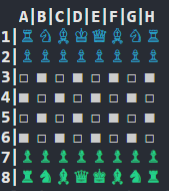
Here's what the terminal version looks like:
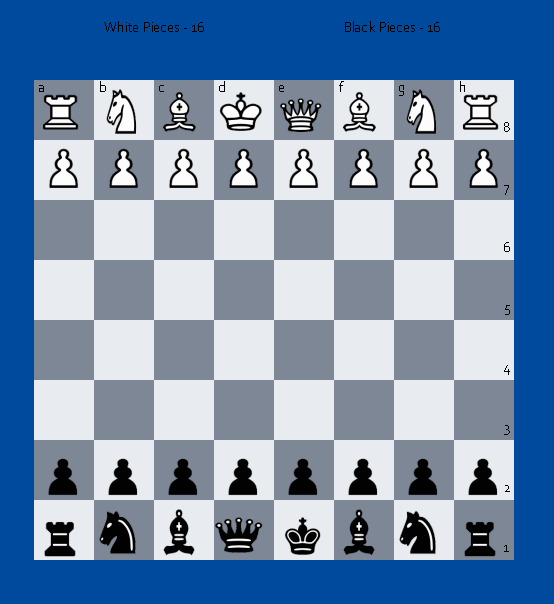
And here's the GUI version:
2 years ago I tried to make a chess game with a friend and I was never able to do it. Now I am able to make it by myself in just under 5 days. That shows the progression of my programming skills from 9th-11th grade.