Developer

Rubik's Cube Solver

An AI-powered solver that uses algorithms to solve Rubik's cubes efficiently.

Timeframe
February 2022
Stack
Python3 · Algorithms · Object-Oriented Programming
  • Implemented efficient solving algorithms
  • Object-oriented design for cube state management
  • Visual representation of cube solving process

Project Overview

A Rubik's Cube solver app that scans the cube using the built-in webcam and solves it using algorithmic approaches. The project uses the cube API in Python for solving and OpenCV for scanning. Python was chosen for its easy GUI components and useful packages like OpenCV, NumPy, and scipy that help with cube input and solving algorithms. This sets the project apart from similar software which complicate the input process with increased steps as they don't use a webcam.
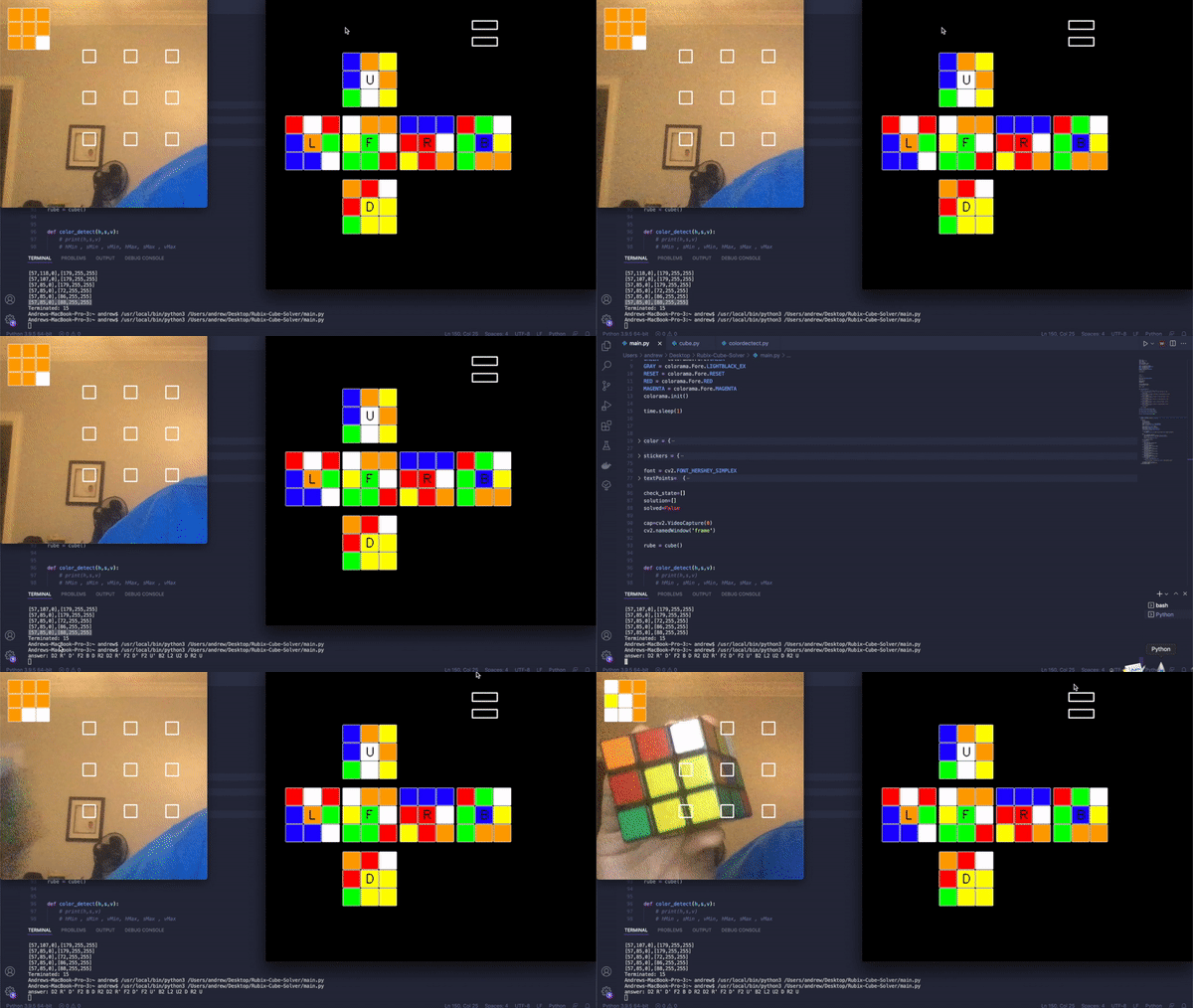
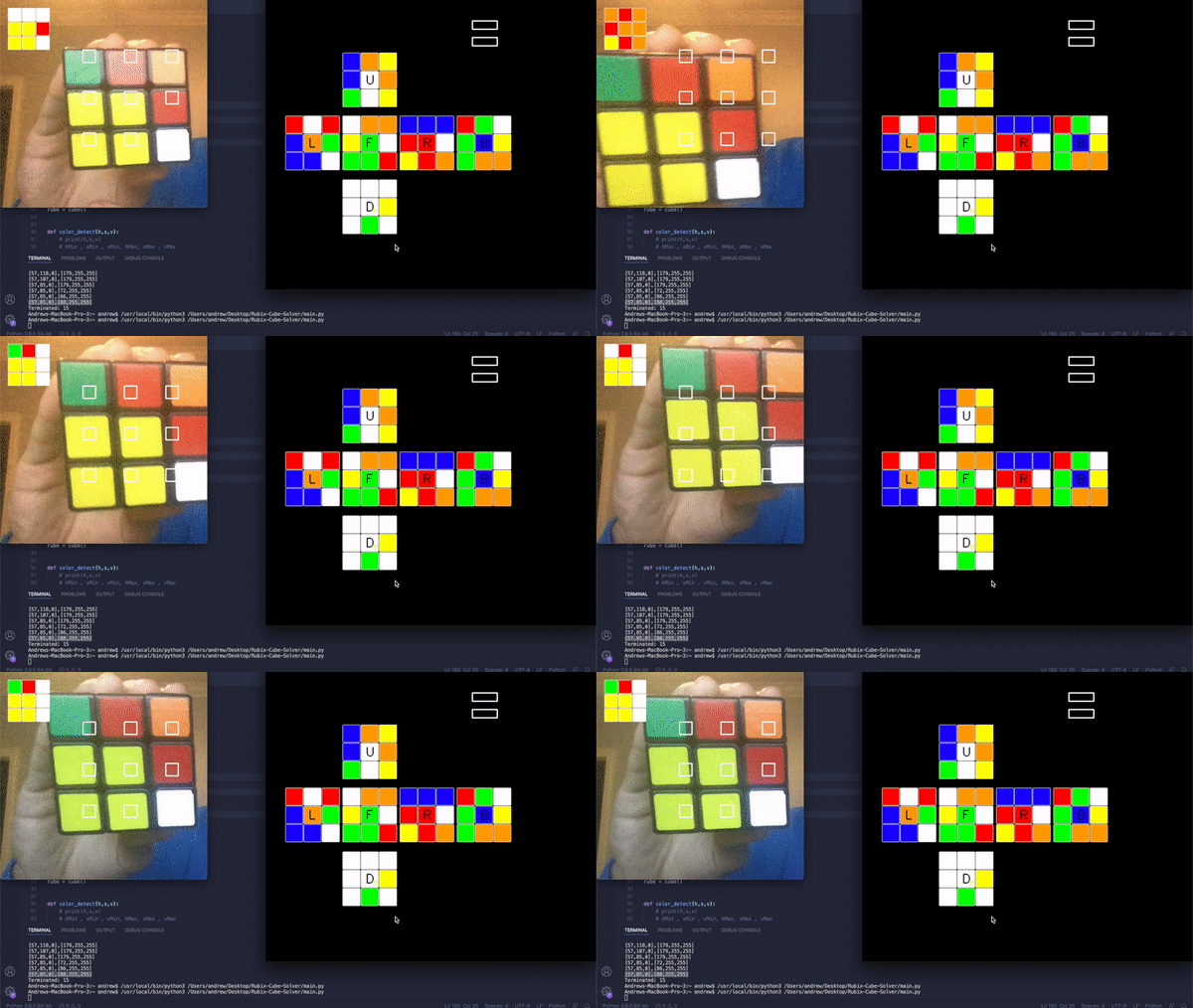
Rubik's Cube Solver in action

OpenCV Scanning

To simplify inputting the cube for the user, I decided to scan using the built-in camera on a laptop. To do this, I used the package OpenCV, as it gave an easy way to take camera input and check the colors of that input. Implementing this however was much more difficult than originally thought. There were countless issues, but the most persistent was the different colors depending on the lighting and reflection.

The color detection function checks the (h,s,v) values from the camera. It then filters those values into a color string which is returned back through the function. However, because (h,s,v) represents the hue, saturation, and value, and the hue/saturation both change depending on reflection, it gives a different value in different situations.

Cube Handling

To handle the cube I used a class. The main state is held in a dictionary state, where each key (up, right, etc.) is one of the sides of the cube. If I wanted to change the state of one of the upper sides I can simply call: state['up'][x] = y.

Here's the cube class structure:

class cube():
    def __init__(self):
        self.state = {
            'up': ['blue', 'orange', 'yellow', 'blue', 'white', 'orange', 'green', 'white', 'yellow'],
            'right': ['blue', 'blue', 'blue', 'red', 'red', 'white', 'yellow', 'red', 'orange'],
            'front': ['white', 'orange', 'orange', 'yellow', 'green', 'white', 'green', 'green', 'red'],
            'down': ['orange', 'red', 'green', 'red', 'yellow', 'yellow', 'white', 'yellow', 'yellow'],
            'left': ['red', 'white', 'red', 'blue', 'orange', 'green', 'blue', 'blue', 'white'],
            'back': ['red', 'green', 'white', 'green', 'blue', 'yellow', 'green', 'orange', 'orange']
        }

        self.sign_conv = {
            'green': 'F',
            'white': 'U',
            'blue': 'B',
            'red': 'R',
            'orange': 'L',
            'yellow': 'D'
        }

Cube Solving

Solving is relatively simple - I used a built-in API that takes a string as the parameter and outputs the solution. The solve method converts the cube state to the notation format required by the solving API:

def solve(self, s):
    r = ''
    for i in s:
        for j in s[i]:
            r += self.sign_conv[j]
    print("answer:", Cube.solve('r'))
    return Cube.solve('r')

Demonstration

Scanning the Cube In

Scanning the Cube using OpenCV

The scanning process uses OpenCV to detect colors from the webcam feed and map them to the cube's state.

Solving the Cube

Here is a short demonstration of how the program outputs the solution. It gives the user cube notation instructions for how to solve it in the command line. From there the user can then follow those steps to accurately complete the Rubik's cube.

Conclusion

This was a very hard project for me. I was not familiar with color detection or cube solving before starting. I still think I need more work with OpenCV, but it was a good first step to help get used to the basics.